TL;DR
- Run a fixed panel of 30 to 60 buyer questions on a schedule, and report each competitor's appearance rate, not a single rank.
- Track featured snippet owners, AI Overview citations, and organic positions in one matrix: they are separate contests.
- Read the log beside Search Console and GA4 to size the traffic cost. Google's Generative AI report counts impressions, not clicks.
AI Overviews now decide who gets seen before anyone clicks, and a classic rank tracker never shows you that moment. Ahrefs' 2026 update shows just 38 percent of the pages AI Overviews cite also rank in the top 10 for the same query, against about 76 percent in its July 2025 study. The brands winning the overview are often not the brands you fight for blue links.
So how do we track competitor performance in Google AI Overviews? You sample the same buyer questions on a schedule, write down who gets cited or named, and measure each competitor's appearance rate over time. Add featured snippet owners to the same log, then compare it with your traffic data to see what a rival's gain costs you.
Why Competitor Tracking Works Differently in AI Overviews
Short answer: To track competitor performance in Google AI Overviews, search the same buyer questions repeatedly, record every brand and URL each overview cites or names, and report how often each competitor shows up. Answers change between runs, so frequency of appearance replaces a fixed rank.
Google's own guidance says AI Overviews and AI Mode may use query fan out: several related searches across subtopics and data sources feed one answer. Three consequences shape how you track.
- The competitor set changes. Review sites, Reddit threads, YouTube videos, and niche blogs can take a citation slot. YouTube alone made up 5.6 percent of the AI Overview URLs Ahrefs studied.
- Rankings explain less. In the same data, just over 30 percent of cited URLs ranked between positions 11 and 100, and a similar share ranked outside the top 100.
- Answers vary by run. SparkToro and Gumshoe.ai found less than a 1 in 100 chance that ChatGPT or Google's AI in Search returns the same brand list twice for one prompt.
Share of Voice: Find Gaps Where Competitors Steal Your Visibility
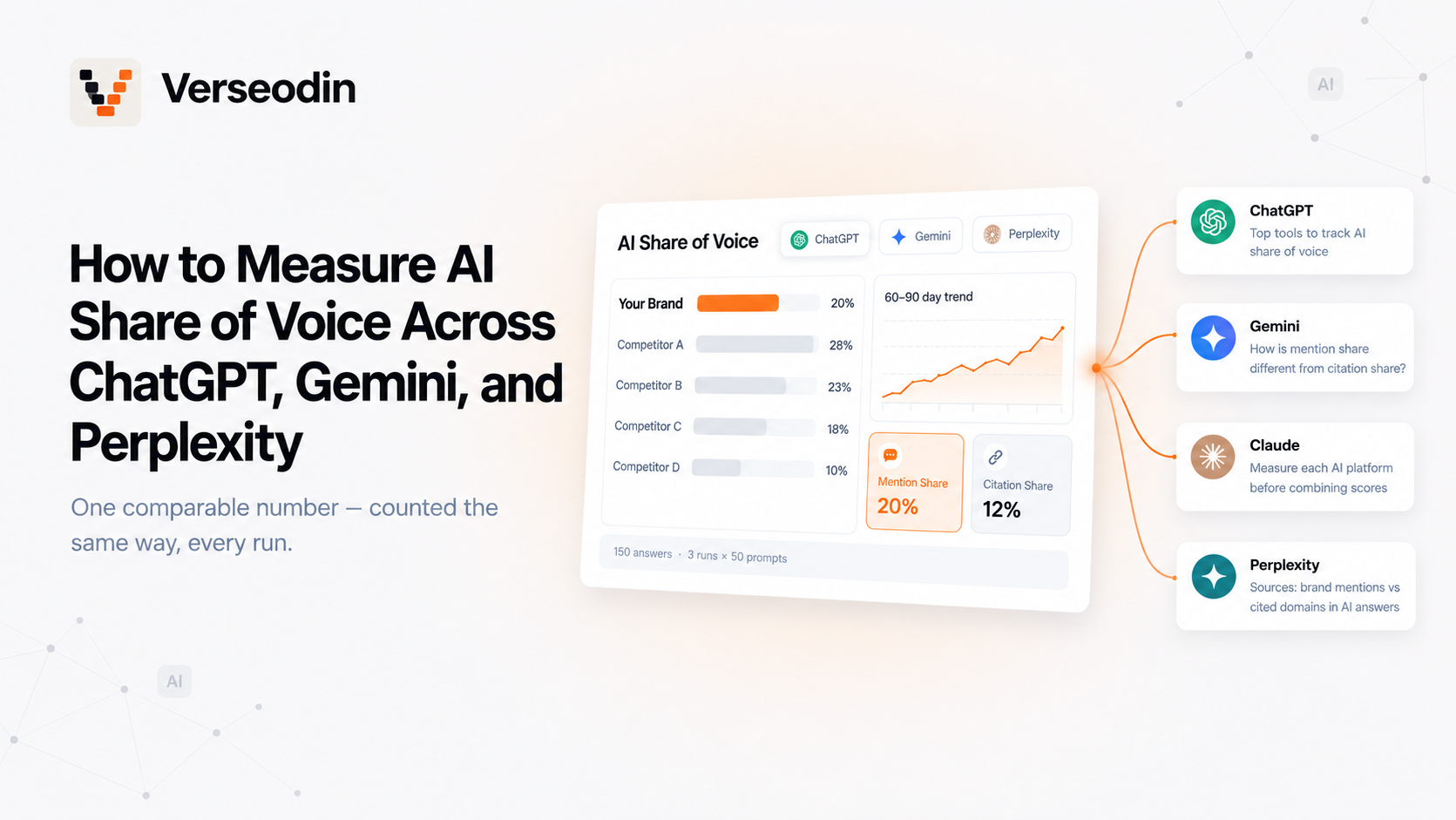
Share of Voice is your slice of the citations or brand mentions across a fixed prompt set, measured against every competitor you track. The formula is AI SOV = (your citations ÷ total category citations) × 100.
Say 40 of your tracked prompts trigger an AI Overview, and those overviews link to tracked brands 50 times: 9 links to you, 21 to Competitor A, 14 to Competitor B, and 6 to Competitor C. Your Share of Voice is 9 ÷ 50, or 18 percent. Competitor A holds 42 percent.
You can count brand mentions instead of links, weight prompts by search volume, or score a first mention higher than a late one. Pick one method and keep it fixed. Our guide to measuring AI share of voice across ChatGPT, Gemini, and Perplexity covers the counting rules.
The score sizes the gap. Four gap types show where it comes from:
- Absolute citation gap: a competitor is cited on a prompt and you are absent. The fix is usually a page that answers the question directly.
- Temporal theft: a competitor gained a spot on a prompt you used to share. Only dated logs catch it, so compare their page before and after.
- Organic and AI Overview disconnect: you outrank the competitor, yet their lower ranked page is the one cited. Restructure the page you already have.
- Third party hub gap: the overview cites outside sites that feature your rival and leave you out. Those sites become your pitch list.
For a cause based diagnosis, our brand citation gap analysis for AI search sorts gaps into six types and ranks fixes with a gap score.
AI Overview Visibility, Citations and Competitor Overlap
AI Overview visibility is the share of tracked prompts where your brand is named or linked. To track Google AI Overview mentions properly, count brand names in the summary text separately from source links. A mention shows who the answer talks about, and a citation shows whose page it leaned on.
Add one overlap check. SE Ranking compares the URLs cited in an AI Overview with the top 20 organic URLs for the same keyword: matching unique URLs ÷ 20 × 100, so six matches is 30 percent. Low overlap means the overview draws on pages outside your usual SERP rivals, which is where unlisted competitors hide.
So how do we track competitor featured snippets that appear in AI results? Treat the snippet and the overview as separate contests on one keyword list:
- Build a SERP feature matrix with one row per keyword and columns for the featured snippet owner, the domains cited in the AI Overview, People Also Ask, and organic positions.
- Compare each rival's snippet wins with its overview citations. Owning one does not guarantee the other: Ahrefs notes that some cited pages surface through SERP features or fan out sub queries, not the exact query's organic results.
- Date every change, including new domains entering the cited set. Our guide to monitoring featured snippet wins, losses, and ranking changes shows how to keep that log.
Tools for Tracking Competitors in AI Overviews
A Google AI Overviews tracking tool worth paying for records which domains and brand names sit inside the AIOs, per keyword and per date. A yes or no on whether an overview appeared is not enough.
- Ahrefs Brand Radar: mentions, citations, and AI Share of Voice across AI Overviews, AI Mode, ChatGPT, and Perplexity. Filters surface prompts where a rival is cited and you are not. Best for multi engine benchmarking.
- Semrush: the AI Visibility Toolkit compares your overview visibility with competitors. Best for teams already in the suite.
- thruuu: a Visibility Score showing how many overviews name your brand, plus competitor gap filters. Best for agencies.
- SE Ranking: an AI Results Tracker with Rankings, Competitors, and Sources views, plus Organic AI Overlap. Best for small and mid size teams.
- SEO PowerSuite: Rank Tracker flags keywords that trigger overviews and accepts competitor domains. Best for desktop workflows.
- SEOmonitor: detects brands mentioned or cited in overviews, including competitors missing from your list. Best for automatic discovery.
- DemandSphere: splits visibility across organic, featured snippets, People Also Ask, and AI Overviews, with competitor alerts. Best for enterprise teams.
- GEO Toolbox: tracks competitor citations across eight engines and alerts you when a rival starts winning a prompt. Best for early warnings.
- Local Falcon: geo grid tracking with a Share of AI Voice metric. Best for local businesses.
On a tight budget, a spreadsheet works: 30 prompts, three runs each in a logged out window, one row per run. At a minute per check, that is about 90 minutes per cycle.
VerseOdin tracks ChatGPT, Gemini, and Perplexity daily for a competitor set you define, and its blindspot view flags prompts that name your rivals and skip you. It does not query AI Overviews directly, so use the Gemini data as a proxy and pair it with a SERP based tracker for the literal overview.
Core Metrics to Monitor
Ten numbers cover most of what you need: the fast moving ones weekly, the structural ones monthly.
- AIO trigger rate: the share of tracked prompts that show an overview. It sizes the opportunity. Weekly.
- Citation rate: the share of overviews that link your domain. Weekly.
- Mention rate: the share that name your brand, linked or not. Weekly.
- AI Share of Voice: your slice of all citations or mentions among tracked brands. Monthly.
- URL level inclusion: which of your pages get cited, matched against the pages table in Search Console's Generative AI report. Monthly.
- Citation position: where your link sits among the sources, averaged across runs. Monthly.
- Organic AI overlap: how many cited URLs also rank in the top 20. Monthly.
- Competitor appearance rate: how often each rival is cited or named across the panel. Weekly.
- Volatility and drift: the week over week change in domains cited for your panel. Start with an alert at a 20 percent swing and tune from there. Weekly.
- Sentiment: whether the overview frames you positively, neutrally, or negatively. Monthly.
Read trends over two to three months, not single days.
Step by Step Competitor Tracking Workflow
Google AI Overviews tracking is a loop, not a one time audit. Each step is marked manual, automated, or both.
- Pick competitors (manual, with automated discovery). Start with 3 to 5 direct rivals, then add the citation hubs and emerging brands the overviews actually show, for 10 to 15 names. SEOmonitor, DemandSphere, and Ahrefs Brand Radar can surface unlisted ones.
- Build a prompt panel (manual input, automated expansion). Collect 30 to 60 queries from Search Console, People Also Ask, fan out sub questions, and sales calls. A regular expression filter in Search Console isolates question words and long queries.
- Group by intent (manual). Use 15 to 30 informational, 10 to 20 commercial, and 5 to 10 branded prompts. Informational prompts trigger overviews most often, while commercial ones sit closer to revenue. Lock the panel for 90 days, because swapped prompts break the trend line.
- Baseline (automated, or manual for small panels). Run each prompt three to five times in clean sessions, logged out with a fixed location and language, and record appearance frequency.
- Record each time (automated, with a spreadsheet fallback). Log the date, whether an overview triggered, citation, mention, position, competitors named, cited domains, and sentiment.
- Run gap filters (automated). List the prompts that cite a rival but not you, compare organic rank with overview citations, and audit the cited domains.
- Review on a cadence (manual review, automated alerts). Weekly drift alerts, a monthly Share of Voice scorecard, and a quarterly reset of the baseline.
Cross Reference with GSC and GA4
Google announced the Search Console Generative AI performance report on June 3, 2026, and it now covers all websites. Its help page defines the metric as impressions, with page, country, device, and date as the breakdowns. It lists no clicks, click through rate, or query dimension, and it merges AI Overviews with AI Mode, which Ahrefs found cite the same URLs only 13.7 percent of the time for a given query.
Clicks are not lost: Google counts traffic from AI features in the standard Performance report. Use both reports together:
- Export the AI cited pages. Sort the Generative AI report by impressions, then pull the same pages in the Performance report. Flat or rising impressions with a falling click through rate there suggest the overview is taking the click. Ahrefs measured a top result's click through rate at about 58 percent lower with an AI Overview present (December 2025 data).
- Segment the pages in GA4. Filter organic landing pages to the exported URLs and compare engagement and conversions before and after a competitor change.
- Line up competitor moves. When your tracker shows a rival gaining citations on a prompt cluster, date it and compare clicks, impressions, branded queries, and direct traffic for the matching pages three weeks before and after.
Try it with your own website
See which brands AI recommends ahead of you, and why.
GA4 covers the other half. Since May 13, 2026, visits from recognized AI assistants such as ChatGPT, Gemini, and Claude land in an AI Assistant channel, with the medium set to ai-assistant. Google's channel definition keeps AI Overviews and AI Mode in Organic Search, so those clicks will not appear there. Treat the channel as a floor, because a visit only counts when the referrer matches a known assistant.
Turning Findings Into Action
Start with why the competitor won: the cited page's format, freshness, third party mentions, and structure. Google says there are no extra requirements for AI Overviews, so the fixes are page quality changes, not special markup:
- Match their answer format: lead with a two or three sentence answer directly under the heading.
- Close the proof gap: add the stats, dates, and named sources their page carries.
- Name your brand explicitly in the title and intro, so the overview can name you and not only cite you.
- Pitch the third party hubs the overviews already cite.
- Run the same prompts again in two weeks and log what moved.
Conclusion
Tracking competitor performance in Google AI Overviews comes down to four habits: a fixed panel, a log of cited domains, Share of Voice reported with its denominator, and a regular look at Search Console and GA4. Keep featured snippets in the same log, since they are a separate contest. Review weekly, report monthly, and reset the baseline quarterly.
Want the daily version? Set up a VerseOdin universe with your competitors, then open the blindspot view to see which prompts name them and skip you.
Frequently Asked Questions
Can Search Console show AI Overview data?
Partly. The Generative AI performance report shows impressions, not clicks, and combines AI Overviews with AI Mode. Clicks stay in the standard Performance report, and no Search Console report shows which competitors are cited.
How often should I track AI Overviews?
Weekly for priority prompts, since answers shift often. Review Share of Voice monthly and rebuild the baseline every quarter. Run each prompt several times per check so one odd answer does not skew the numbers.
Is an AI citation the same as a ranking?
No. A citation means the overview linked your page as a source, while a ranking is a position in organic results. In Ahrefs' data, roughly 62 percent of cited pages sit outside the top 10, so a page can be cited without ranking well.
How do I track competitor featured snippets?
Record who owns the snippet for each keyword at every check, next to the sources the overview cites and the organic top 10. Trackers that capture SERP features can log this automatically.
Which Google AI Overviews tracking tool should I start with?
Start with the suite you already pay for: Semrush, Ahrefs, and SE Ranking all track overviews. Add DemandSphere or GEO Toolbox for alerts, and use a spreadsheet for a first audit. VerseOdin's Gemini data works as a proxy beside any of them.